Download the hiu128 App – Full Access to All Games & Sports Betting Straight from Your Phone

Take the best of hiu128 wherever you go. The hiu128 mobile app is available for iOS and Android — free to download, ready in minutes, and packed with all the games, sports betting, Live Casino, and exclusive promotions right at your fingertips.

500K+ Active Download
4.8★ User Ratings
iOS & Android Supported Platforms
Free Download Cost
Choose Your Platform

The hiu128 app is fully optimised for both iOS and Android — the same seamless experience regardless of your device

Hiu128 for iOS

Version 3.8.2  |  Size: 98 MB  |  iOS 13.0+

  • Compatible with iPhone and iPad
  • Optimised for iOS 17
  • Face ID & Touch ID Support
  • Push notifications for odds & promotions
  • Automatic dark mode based on system settings
  • Home screen widget for latest odds
Download for iOS

Hiu128 for Android

Version 3.8.2  |  Size: 87 MB  |  Android 8.0+

  • APK file can be installed directly
  • Compatible with almost all Android devices
  • Fingerprint & face recognition support
  • Real-time notifications for live betting
  • Lightweight file size, saves data usage
  • Integrated automatic updates
Download for Android
Note for Android Users: Since the hiu128 app is distributed directly (not via the Google Play Store), you will need to enable installation from unknown sources in your device settings. This is standard procedure for online entertainment apps and is completely safe — the hiu128 APK file is regularly checked by our security team.
Why Download the hiu128 App?

Many hiu128 players ask — isn't the web version good enough? The answer is simple: it works, but the hiu128 mobile app experience is far superior in many ways you may not realise until you try it for yourself.

First and foremost, speed. The hiu128 app is built specifically for the mobile environment, meaning it is optimised for performance, memory usage, and response time. When you want to place a live bet in the final minutes of a match, or catch the best odds before they change, every second counts — and the hiu128 app makes sure you never miss an opportunity.

Second, push notifications. With the hiu128 app installed on your phone, you'll receive instant alerts for limited-time promotions, significant odds changes, betting results, and more. This is an advantage you simply can't get through a regular web browser.

Third, secure login. The hiu128 app supports biometric authentication — fingerprint or face recognition — so you can log in quickly and securely without typing your password every time. This is a feature highly valued by players who use the platform frequently throughout the day.

Fourth, unlimited access. As long as your phone has battery and an internet connection, hiu128 is with you — whether you're waiting at an LRT station, relaxing at a café, or unwinding at home on the weekend.
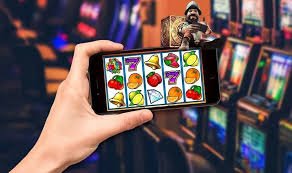

hiu128
hiu128
How to Install hiu128 on Android

Installing the hiu128 app on an Android device is straightforward and takes less than 5 minutes. Follow the steps below carefully and you will be ready to get started in no time:

1
Open Your Android Security Settings

Go to Settings → Security → and look for the "Unknown Sources" or "Install Unknown Apps" option. Enable this option to allow APK file installation from outside the Google Play Store. You can disable this setting again after installation is complete if you wish.

2
Log In to Your hiu128 Account

Use your phone to access hiu128 and log in to your account. Navigate to the Download section to get the latest verified APK download link from the hiu128 team.

3
Download hiu128 APK File

Tap the Android download button and wait for the hiu128 APK file to finish downloading to your device. The file size is approximately 87 MB — make sure you have sufficient storage space and a stable internet connection during the download.

4
Open the APK File & Install

Once the download is complete, open the notification panel or navigate to your Downloads folder, then tap the hiu128 APK file. The Android system will display a permissions screen — tap "Install" to proceed.

5
Open the App & Login

Once installation is complete, the hiu128 icon will appear on your home screen or app drawer. Open the app, log in using your account credentials, and start enjoying all hiu128 features from your phone.

6
Enable Push Notifications

When opening the app for the first time, hiu128 will request permission to send notifications. Please allow this so you never miss any exclusive promotions, betting results, or important odds updates.

How to Install hiu128 on iPhone & iPad

IPhone and iPad users can enjoy a seamless hiu128 experience through our dedicated iOS app. The installation process for iOS differs slightly from Android, but is just as straightforward. Here is a complete guide for Apple device users:

1
Access the hiu128 Download Page

Open Safari on your iPhone or iPad and log in to your hiu128 account. Navigate to the Download section to find the iOS download link. Safari is recommended to ensure a smooth installation process.

2
Tap the iOS Download Link

Tap the "Download for iOS" button and Safari will display a confirmation dialog. Select "Allow" when iOS requests permission to download the hiu128 configuration profile or app.

3
Go to Settings → General → Device Management

After downloading, go to Settings → General → VPN & Device Management. Here you will see the hiu128 developer profile. Tap on the profile, then select "Trust" to allow the app to run on your device.

4
Install & Open the hiu128 App

Once trust is granted, return to your home screen. The hiu128 app icon will appear. Tap to open, enter your login credentials, and enable Face ID or Touch ID for faster login in the future.

5
Keep the App Updated

Hiu128 releases app updates regularly to add new features, improve performance, and maintain security. Check the Download section on the hiu128 platform from time to time to get the latest version.

Important iOS Tips: If the hiu128 app cannot be opened after installation and displays an "Untrusted Developer" message, this is a standard iOS security measure. Follow step 3 above to trust the hiu128 developer profile and the app will function normally.
hiu128
Key Features of the hiu128 App

Everything you need for the best entertainment and betting experience, now in one app

Fast & Responsive Interface

The hiu128 app is built with the latest technology to ensure every navigation, page load, and button response happens in under a second. No lag, no freezes — just a smooth experience from start to finish.

Live Betting with Real-Time Odds

Follow every match live and place bets as the action unfolds. Odds are updated every few seconds, letting you capitalise on every shift in the game with fast, precise betting decisions.

High-Quality Live Casino Streaming

Enjoy baccarat, roulette, blackjack, and sic bo tables with live dealers via high-quality video streaming, directly from the hiu128 app. A real casino experience is now at your fingertips — no need to go anywhere.

In-App Deposits & Withdrawals

Manage all your financial transactions directly from the hiu128 app — deposit using DuitNow, FPX, Touch 'n Go, or GrabPay, and withdraw your winnings without switching to a web browser. Fast, easy, and secure.

Over 1,000 Slot Games

All hiu128 slot games — from classic slots to modern video slots with progressive jackpots — can be played directly from the mobile app. Graphics, animations, and sound are optimised specifically for mobile screens.

Biometric Security & Advanced Encryption

Log in with your fingerprint or face recognition. All data is transmitted via 256-bit SSL encryption. The hiu128 app also features suspicious activity detection and multi-factor login protection.

Smart & Personalised Notifications

Set the types of notifications you want to receive — betting results, new promotions, odds changes, or withdrawal status. The hiu128 notification system can be customised to your personal preferences.

24/7 Live Chat Support

Need help? The hiu128 customer support team can be reached directly from within the app via integrated live chat. Support in Bahasa Melayu and English is available around the clock, 24 hours a day.

hiu128 App Technical Specifications

Before downloading the hiu128 app, make sure your device meets the following minimum requirements. The hiu128 app has been thoroughly tested on a wide range of popular device models in Malaysia to ensure consistent and stable performance.

Specifications iOS Android
Minimum OS Version IOS 13.0 Android 8.0 (Oreo)
File Size 98 MB 87 MB
Recommended RAM 2 GB+ 3 GB+
Required Storage 150 MB 130 MB
Internet Connection 4G / WiFi 4G / WiFi
Biometric Verification Yes Yes
Live Streaming Yes Yes
Push Notifications Yes Yes
Auto Updates Yes Yes
Dark Mode Yes Yes
Download Cost Free Free

Specifications are for the latest version of the hiu128 app. Performance may vary depending on device model and network conditions.

hiu128
Use Less Data

The hiu128 app features a built-in data saver mode that automatically optimises your mobile data usage. Ideal for users who rely on 4G rather than WiFi. Enable it in the app settings under "Network Options".

Silent Updates

Hiu128 app updates happen automatically in the background without interrupting your gaming session. You're always on the latest version with the newest features and security improvements — no manual re-download required.

hiu128 App vs Web Version – An Honest Comparison

Both options offer full access to the hiu128 platform, but there are key differences you should know

hiu128 Mobile App
  • Biometric Login (Fingerprint / Face Recognition)
  • Real-time push notifications
  • Faster & more responsive performance
  • Optimised Animations & Graphics
  • Home screen widget for odds
  • Built-in data saver mode
hiu128 Browser Web Version
  • No installation required
  • Accessible from any device
  • Ideal for occasional use
  • No push notifications
  • Manual login every time
  • Performance depends on browser
Our recommendation: Download the hiu128 app for the best experience if you are a regular player. The web version remains available as a backup option if you are on a different device or prefer not to install the app for now. Both versions offer full access to all games and features on the hiu128 platform.
FAQ – hiu128 Download

Answers to the most frequently asked questions by hiu128 mobile app users

Yes, the hiu128 app is fully secure. Our Android APK and iOS packages are regularly audited by our internal security team and independent third parties to ensure they contain no malicious code, spyware, or security threats. All data transmitted between the app and hiu128 servers is protected by 256-bit SSL encryption — the same standard used by leading financial institutions. Always download the hiu128 app only from the official source on our platform to avoid any risks.

This is a common issue for new iOS users. When iOS displays an "Untrusted Developer" message or blocks the app from opening, you need to manually trust the hiu128 developer profile. To do this: go to Settings → General → VPN & Device Management → find the hiu128 profile → tap "Trust [profile name]" → confirm your selection. After that, the hiu128 app will work normally. This is Apple's standard security measure for apps distributed outside the App Store.

No, you don't need to. If you already have a hiu128 account, you can log in directly using the same username and password on the mobile app. All account information, credit balance, betting history, and account settings will be automatically synced between the web version and the mobile app. If you do not yet have an account, register first — the registration process can be completed directly in the app in under 3 minutes.

Data usage depends on the type of activity you perform within the hiu128 app. For sports betting and odds checking, data usage is very minimal — around 5–15 MB per hour. For slot games and casino games, data usage is higher, typically between 30–80 MB per hour depending on graphic resolution. For live casino streaming with high-quality video, estimated data usage is approximately 200–400 MB per hour. Enable data saver mode in the hiu128 app settings to reduce data usage when on a mobile network.

Yes, you can install the hiu128 app on multiple devices using the same account — for example, on an iPhone and iPad, or on your personal and work phones. However, only one active login session is allowed at a time for account security purposes. If you log in on a second device, the session on the first device will be automatically terminated. This is a protective measure we enforce to keep your account and credit balance safe.

If the hiu128 app crashes or becomes unresponsive, try the following steps in order: (1) Fully close the app and reopen it. (2) Check your internet connection — try switching between WiFi and mobile data. (3) Restart your device. (4) Clear the app cache (Android: Settings → Apps → hiu128 → Storage → Clear Cache). (5) Uninstall and reinstall the latest version of the hiu128 app. If the issue persists after all these steps, contact the hiu128 customer support team via in-app live chat or email [email protected] for further assistance.
Security & Privacy Notice: hiu128 will never ask for your password, credit card information, or personal data via SMS, unsolicited emails, or third-party apps. Only download the hiu128 app from the official link found on the hiu128.win platform. If you receive any suspicious download links claiming to be hiu128, do not click them and report to our support team immediately. Your account security is our shared responsibility.

Download the hiu128 App Today & Claim Your New Member Bonus!

Create your free hiu128 account now and enjoy an exclusive welcome bonus for new members. Download the hiu128 mobile app for iOS or Android and bring Malaysia's best betting experience to your hands — 24 hours a day, 7 days a week.

Safe & trusted platform  |  18+ only  |  Play responsibly

Bahasa Melayu